Strict Lead Progression: More control over your leads' progression
Strict Lead Progression is a feature available in Leadpro to limit what capabilities your agents have at updating and progressing leads from your 'Unread' through 'In progress' through 'Business' lead views.
Typical Leadpro lead progression
Without strict lead progression, agent and leader users have full control over progressing a lead's status with no justification. This means your agents can move a lead from unread to a contacted status, or business-won status without any details recorded about if the said lead's newly selected statuses is accurate and legitimate.
Strict Lead Progression
With strict lead progression applied to your leadpro system, agent and leader users will not be able to freely update the statuses of their leads at will. The following limitations will be applied to the system:
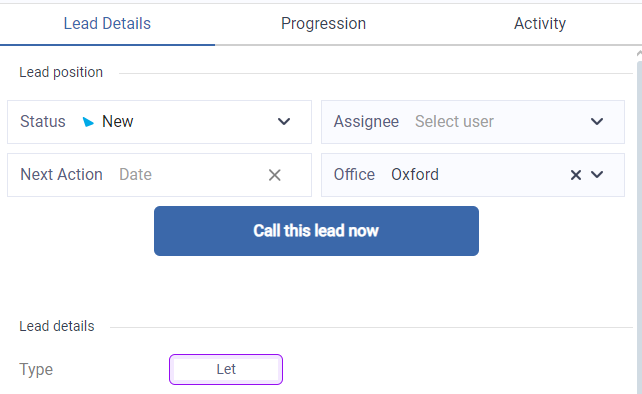
Phone contact must be attempted All leads incoming into the system will be marked with a status of 'New', and will appear in your 'Unread' tab. The status cannot be changed by users, and will only update to 'Contacted' when either an autocaller call has connected, or an agent has opened the lead and manually triggered a call with the 'Call this lead' button.
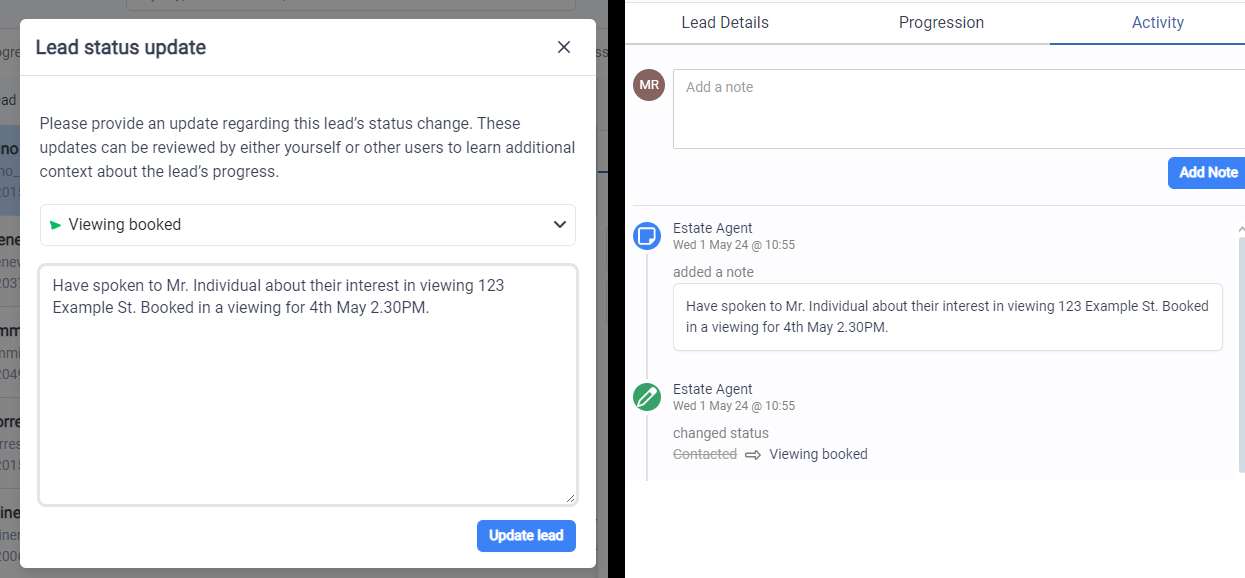
All further contact status updates must be justified Once a lead has been marked as 'Contacted' agents can then freely update the lead status further, however an activity note must be recorded with each status change. This means a context or justification needs to be provided by the agent as to why that status has changed. These status change justifications will be recorded against the lead on the 'Activity' tab.
Enabling Strict Lead Progression
This feature can only be enabled by the Leadpro service desk team. Please put in a request to apply strict lead progression to your Leadpro account manager, or to support@lead.pro.