Assignee Availability
In the event you would become unavailable to action leads, Leadpro now supports the capability to switch off your account's "Assignee Availability".
Using the Assignee Availability switch
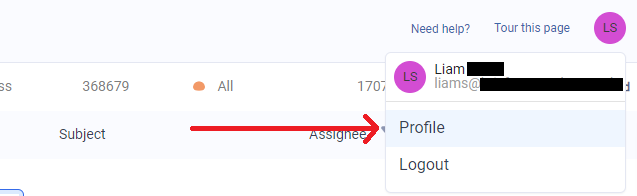
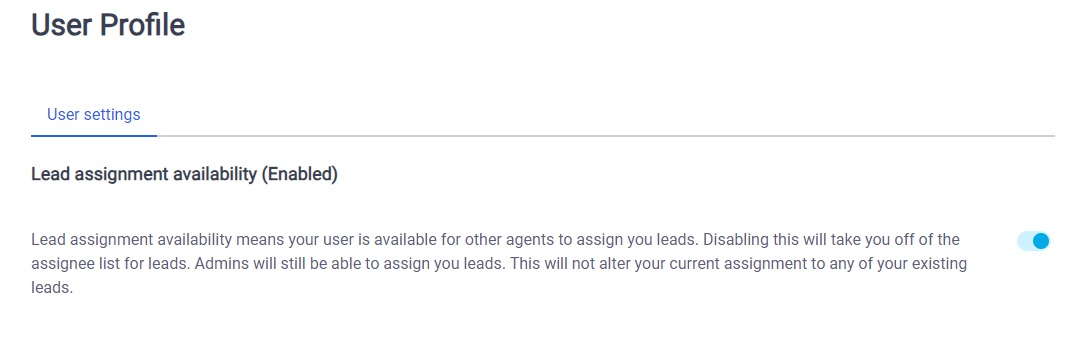
Located under your account icon at the top right of your dashboard, open your 'profile' page. You will then find the switch control for enabling or disabling 'Assignee Availability'.
Unavailable agents and leaders
Setting yourself unavailable for lead assignment as an agent or lead will continue to keep your name in the assignment dropdown choices, but will be greyed out and other agents will be unable to select you.
Unavailable administrators
Setting yourself unavailable for lead assignment will completely remove your name as a choice on any lead assignment dropdowns.
Other considerations
While unavailable for lead assignment, you can still use Leadpro and progress already assigned leads as normal.
The decision to mark yourself as unavailable for lead assignment never expires, and you will remain unavailable until you re-enable yourself as available for lead assignment.