iamproperty CRM Integration
Leadpro supports pushing your leads into iamrpoperty CRM as applicant and vendor records. We offer the capability to do this manually upon an agent clicking the iamproperty CRM "sync" button when viewing an individual lead.
Connecting Leadpro to iamproperty CRM
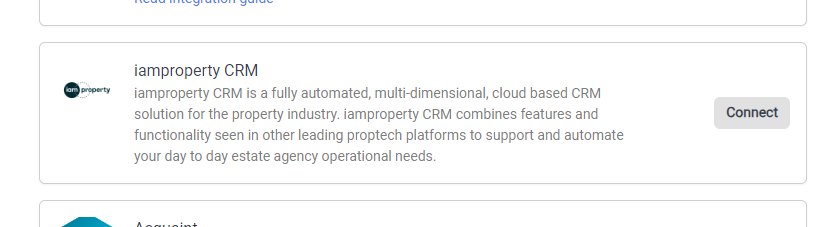
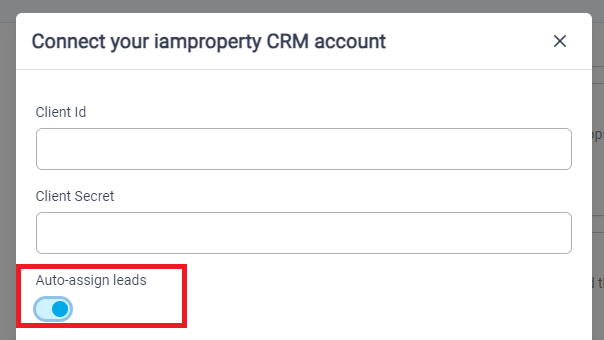
To connect your Leadpro system to iamproperty CRM, an admin user needs to navigate to the Integrations Page and select the 'connect' action on the iamproperty CRM module. Here you will be prompted for a 'Client ID' and 'Client Secret'. You can obtain both of these keys by contacting your usual correspondence at iamproperty and requesting them for the Leadpro integration. You also have the option to enable 'automatic agent assign' before connecting your integration, more information is available on how autoassign works in the next section. Otherwise, press connect to complete connecting to iamproperty CRM.
Automatic Agent Assign
While preparing to connect to iamproperty CRM from Leadpro, you have the option to enable 'automatic agent assign'. With this enabled, all applicant leads that are created on your dashboard will attempt to utilise your iamproperty CRM data to automatically match the assigned negotiator from a CRM property to a Leadpro user, and automatically assign that user to that applicant lead.
Mapping your Offices, Users, and Lead Sources
Now that your Leadpro system is connected to your iamproperty CRM account, you'll be presented with configuration options to decide how to map different aspects of your lead data to your CRM records. This allows you to:
Sync Leadpro Users to iamproperty CRM negotiators You can map your Leadpro users to iamproperty CRM Negotiators so that leads synced into iamproperty CRM are correctly assigned the correct negotiator upon creation.
Sync Leadpro Offices with iamproperty CRM offices You can map Leadpro offices to iamproperty offices to ensure your CRM records created from Leadpro leads reside in the correct offices.
Sync Leadpro sources with iamproperty CRM source You can map Leadpro lead sources with iamproperty sources to persist the original source a lead was created from within your CRM records.
Syncing your leads into iamproperty CRM
The Leadpro to iamproperty CRM integration is a manual integration, meaning to sync any lead data, your agents have to manually trigger a sync using the 'sync to iamproperty CRM' action, located at the top right of any leads' lead details panel.
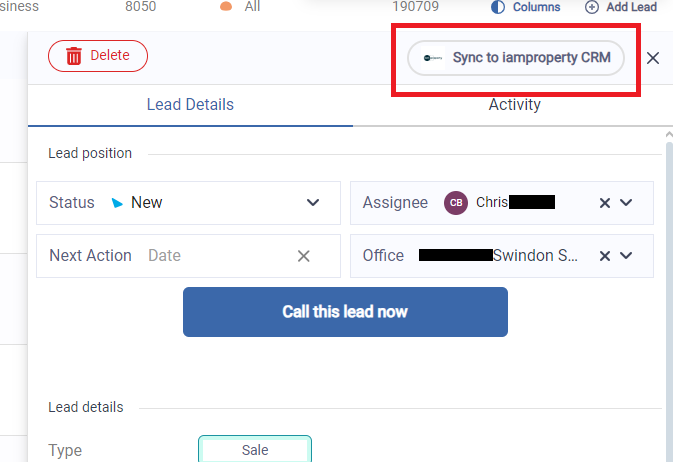
You can sync both types of applicant leads (Sale and Let) and both types of vendor leads (Vendor and Landlord) into iamproperty CRM. This will create a respective applicant or vendor lead in your iamproperty CRM system, with the leads name and contact details written against the record.
Notes and qualification questionnaire responses
When a lead is synced to iamproperty CRM, any agent written notes or qualification questionnaire responses are synced along with it. If notes are added, or a qualification questionnaire is completed by the recipient after a lead is synced, these details will automatically be synced over tot he existing record.
Managing duplicate records
As you may expect with individuals active on the property market, one person may express interest in multiple properties, or have multiple properties to be valued, meaning your system will likely receive multiple leads originating from the same recipient.
To prevent duplication of contact details occurring in your iamproperty CRM system, Leadpro will use a lead's contact details to check your CRM system for existing contact records. If one or more matching records are found, Leadpro will offer you the ability when syncing to decide to update an existing CRM contact record and add the new lead information on, or create an entirely new record if you decide to.