Office distance cutoff: Controlling new leads based on distance
The office distance cutoff setting allows you to control the distance that your Leadpro offices can receive new valuation or sale leads against. By default, if a valuation lead's property postcode doesn't land in any of the postcode areas configured against any of your Leadpro offices, it will be placed against the office which has a postcode area that is geographically closest to that valuation or sale lead's postcode.
If you decide that some valuation or sale lead properties are simply too far away for you to do business with, you can enable the office distance cutoff setting and specify a miles radius. If a lead property postcode is outside of the radius of any of your Leadpro offices, then the lead will be marked 'out of area' and will not appear in your Leadpro 'Unread' dashboard.
Enabling office distance cutoff
This setting can be enabled by navigating to your account settings from the 'Account' item in your left hand menu, then navigating to the 'IVT' tab on that page.
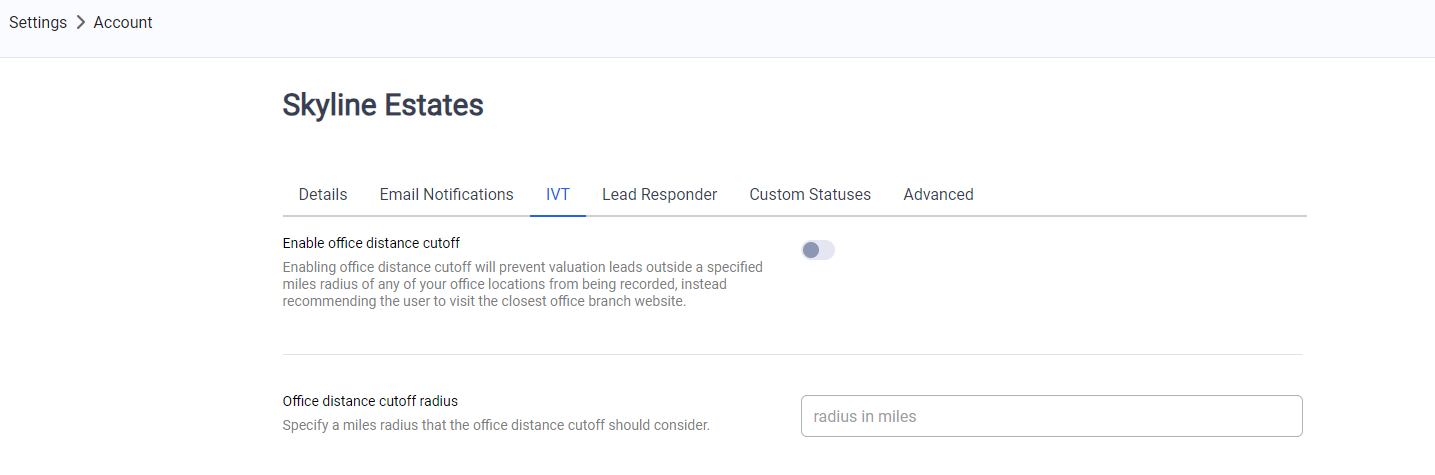
Enable the setting and provide a distance in miles that each office will consider it's 'acceptable radius' for receiving valuation and sale leads.
Configuring office URLs
Additionally, if the 'out of area' lead was generated from your Instant Valuation Tool, an alternative response is given to the visitor when they complete their online valuation, instructing them that your agency offices do not cover their location, and encourages them to visit the website of the geographically nearest office.
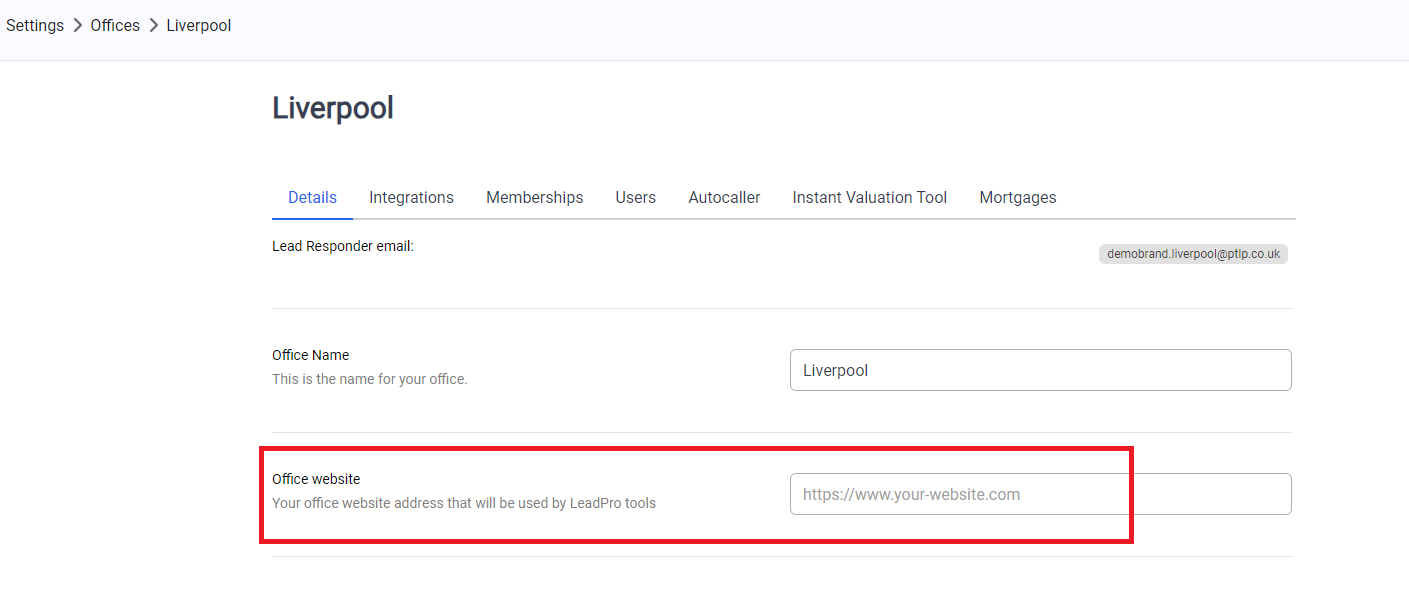
You an configure what website URL is presented by navigating to the 'Offices' item on the left hand menu, then clicking on an office, and finding the 'Office website' setting as demonstrated below:
Managing out-of-area leads
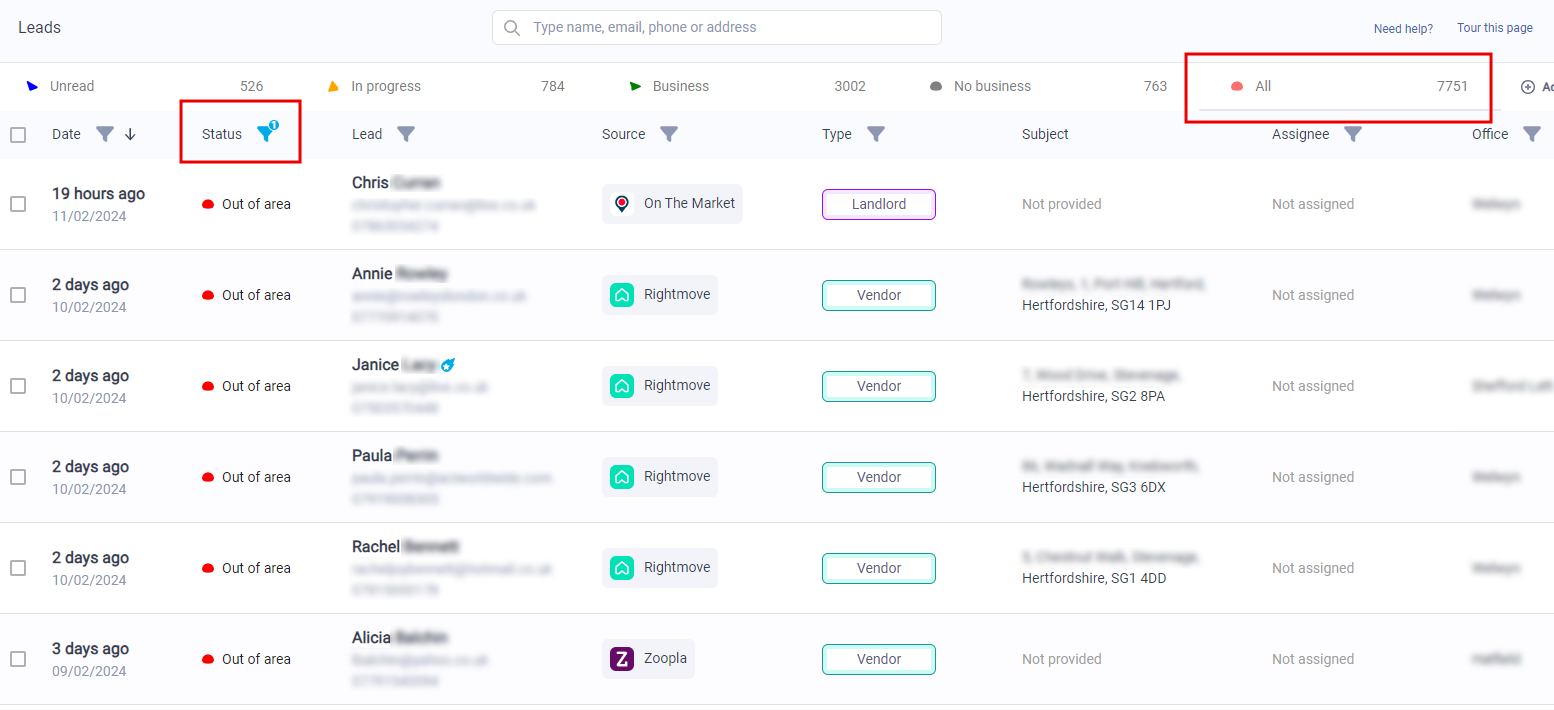
If a valuation or sale lead is generated, containing a property postcode that is not covered by any of your offices' postcode areas, and is outside the mile radius configured on your Leadpro system, then the lead is created and marked as 'Out of area'. This lead will not appear in the 'Unread' section of your dashboard, and will not trigger any workflows or the Autocaller feature.
You can still locate these leads by navigating to the 'All' tab of the dashboard, and filtering the 'Lead status' to show 'Out of area' leads: