Instant Valuation Tool (IVT): Google Analytics Tracking
Google Analytics support in IVT
The IVT tool supports tracking and reporting your users' engagement by using a 'Google Analytics ID', or 'Measurement ID' which you can supply into the 'Google Analytics ID' input section of your IVT page settings. See further below for an outline of what events and parameters will be recorded.
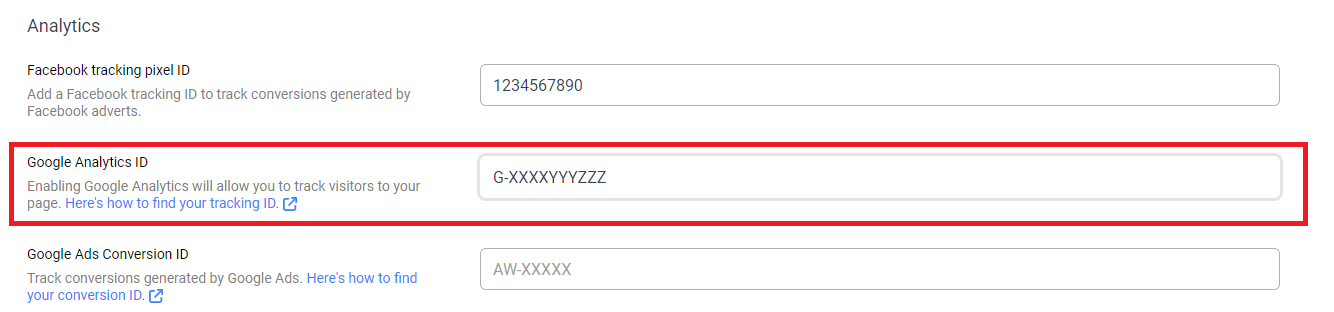
GA Events and Parameters
With a measurement ID supplied for your IVT page, as users visit and fill out an instant valuation, the following events and parameters will be recorded in your Google Analytics suite:
Event ivt:page-visit, this event will trigger when a user visits your IVT page.
Parameter page, this parameter will supply the URL the IVT page was visited through
Event ivt:new-partial-lead, this event will trigger when a user completes the first portion of the IVT questions, supplying their house details.
Parameter page, this parameter will supply the URL the IVT page was visited through
Event ivt:new-lead, this event will trigger when a user completes the second portion of the IVT questions, and an online valuation is generated.
Parameter page, this parameter will supply the URL the IVT page was visited through
Parameter branch, this parameter will supply the office name that the IVT lead was generated to.
Parameter lead_type, this parameter will supply whether the generated lead was a sales lead or lettings lead.
Recording additional UTM attributes
Along with the default events and parameters supplied above, the IVT tool also supports the ability to record and report any additional UTM attributes supplied in the IVT page's URL.
For example: You could place your IVT page link within a Facebook campaign with the following URL: https://yourIvtPage.lead.pro?utm_source=facebook&utm_medium=advert. When users visit this link, the generated GA events will also record 'source' as 'facebook' and 'medium' as 'advert'. The URL tracking supports any attribute name so long as it begins with 'utm'.
Managing your Google Analytics data streams
In order for your generated data stream, and associated measurement ID to work with IVT, it is important to ensure the domain name supplied in your data stream matches the domain name your users will reach the IVT tool.
IVT pages hosted in Leadpro If you're using Leadpro's IVT page hosting, your data stream domain should match the URL you use to access the page. For example, if your IVT page URL is https://yourIvtPage.lead.pro then your data stream domain in GA will need to be https://yourIvtPage.lead.pro, and your data stream measurement ID would need to be set in the IVT page settings.
IVT pages hosted in your own website, using the popup or full page widget script You have the choice to host the IVT tool as a popup or full page widget on your own website, using the source scripts provided at the bottom of your IVT setting page. If you do use this approach, the domain supplied to your data stream in GA will need to match the domain of your website. For example, if the website you hosted the IVT tool on is https://example.com/IvtTool Then the domain against your data stream would be https://example.com/, and your data stream measurement ID would need to be set in the IVT page settings.