Incomplete Valuation Leads
If you are using our Instant Valuation Tool, we’re sure you’ve found it to be an extremely helpful lead generation tool. However, sometimes the users that land on your Instant Valuation page opt-out before sharing their contact details with you.
In order for you to be able to make the most out of every Instant Valuation Tool visit, we have added the Incomplete Valuation Leads Feature in LeadPro, which means that we can email you the addresses about which the visitors enquired, but haven’t proceeded to add the contact details in.
How to turn on Incomplete Valuation Tracking
In case you would like to receive the Incomplete Valuation emails, you need to navigate to the Instant Valuation Tool tab, click on the IVT page you would like to turn these email notifications on, and make sure you toggle the “Enable Incomplete Valuation Leads Emails”.
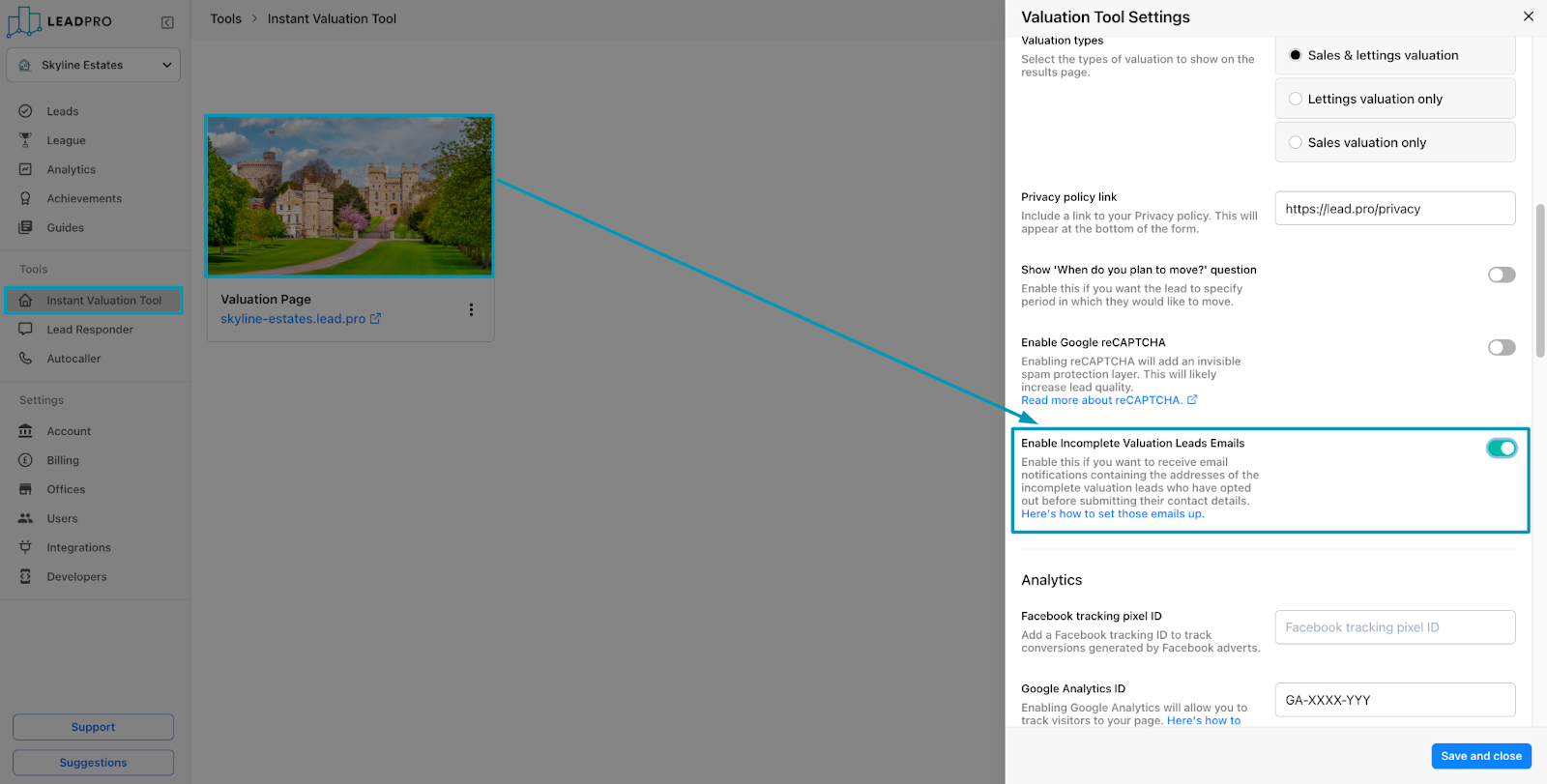
Please bear in mind that, in case you have more than one IVT page created in your account, you would need to decide on which ones you would like to track the incomplete valuations for and turn the option on according to that. Enabling Incomplete Valuation for one of the pages will not enable it for the rest of the pages in the account.
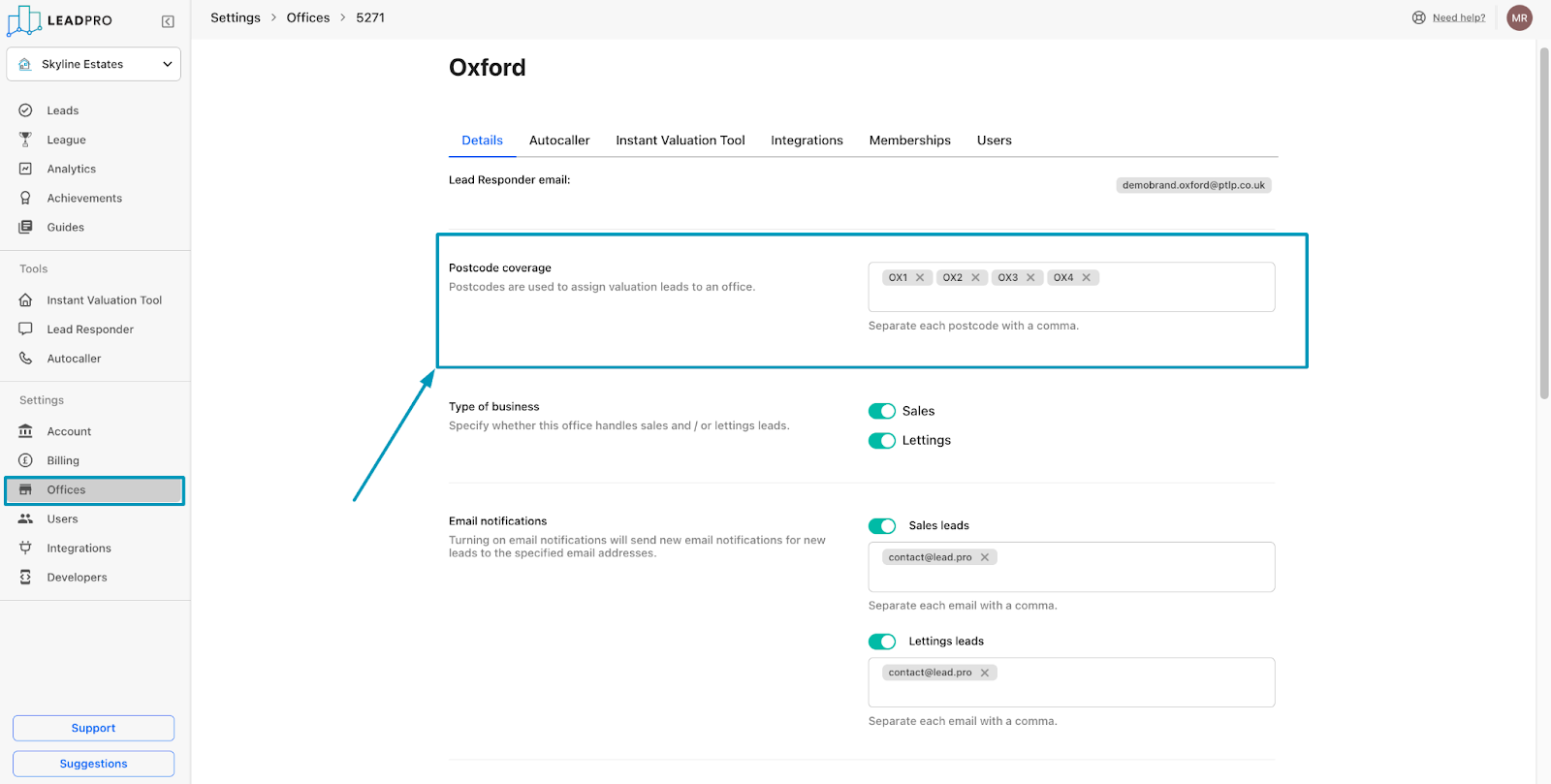
After you have enabled us to track those Incomplete valuations for one or more IVT pages on your account, you would need to navigate to the “Offices” section of the account settings. Before you add a good email to send these notifications to, make sure you have your postcode coverage set up properly. These incomplete valuation emails will only get sent if one of the offices in the account cover the area the incomplete valuation leads come from.
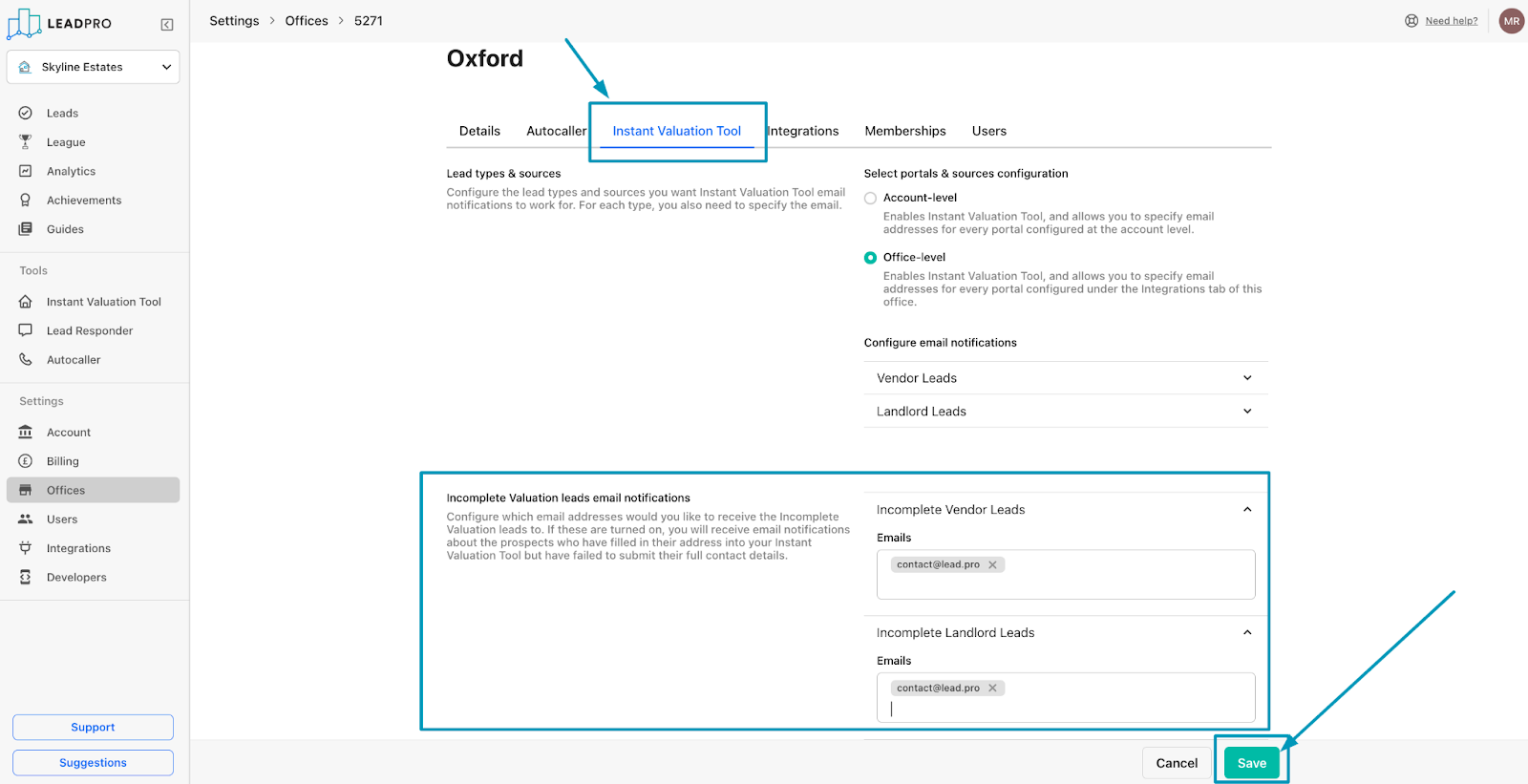
Once you have made sure you’re happy with the postcode coverage area of the office, navigate to the Instant Valuation Tool section of the office setting, and add the email address you’d like to receive these notifications under “Incomplete Vendor Leads” and/or “Incomplete Landlord Leads”. Once you do that, make sure you click on “Save”!
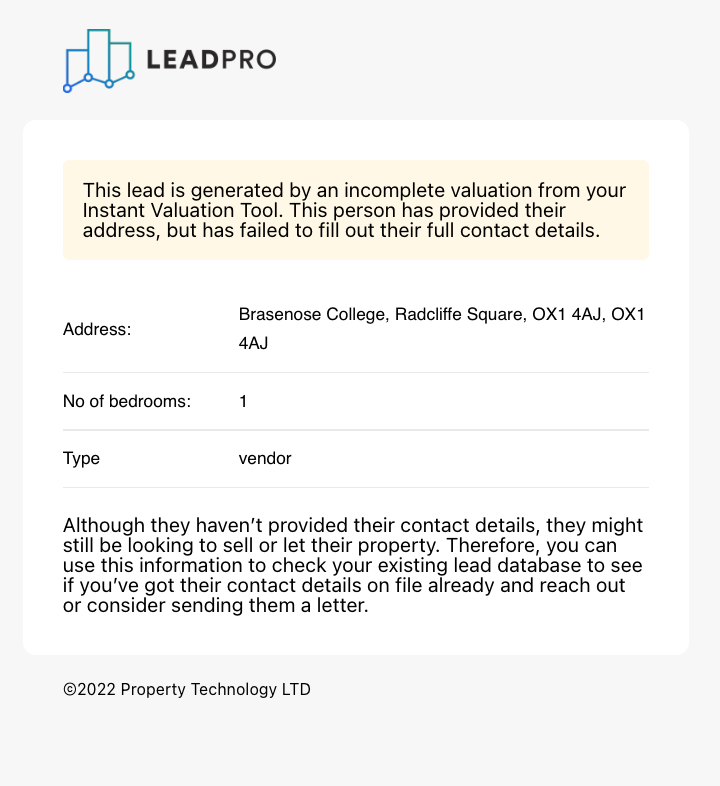
Once all the above has been taken care of, your incomplete valuation emails will start to come into your inbox. This is the email to look out for:
In case you have any issues with setting the feature up, please reach out to support@lead.pro